entry-12
Moving my portfolio from GitHub Pages to Cloudflare Pages
chrisalorenzo.com was a GitHub Pages project site with DNS parked at the registrar. This is the migration to Cloudflare Pages, DNS and all, plus the parts that bit me.
revisions rev. 1 first set 2026-10-23 last revised 2026-10-23 5 min read
Update (2026-10-19): The blog move and later domain migration are now documented; the queued move below describes the August state.
My portfolio started as a GitHub Pages project site at
stayz3ro.github.io/portfolio/, with the real domain, chrisalorenzo.com,
sitting at Porkbun doing nothing but a parking page and a URL forward.
That was fine for a placeholder. It stopped being fine once the site was
something I wanted people to actually land on.
This is the move to Cloudflare Pages: hosting, DNS, TLS, and email alignment, plus the parts that bit me.
Why move at all
GitHub Pages is a fine static host. The reasons to leave were specific:
- I wanted the site on the apex,
chrisalorenzo.com, not a subdirectory of agithub.iosubdomain. Pages can do apex domains, but the DNS side (fourArecords to GitHub’s IPs plus a separateCNAMEforwww) is clunky, and GitHub’s IPs have changed before. - With Cloudflare I get DNS, CDN, and the TLS certificate in one dashboard instead of split between a registrar and GitHub.
- Everything after this sits behind Cloudflare too: the blog you’re reading, and the VPS services later. Doing the portfolio first meant doing the move once and reusing the steps.
The hosting swap itself was the easy part. Connect the repo, set a build command, done. DNS was the work.
Step 1: DNS authority to Cloudflare
Registration stays at Porkbun. Only the nameservers move.
- Add the site in Cloudflare (Websites → Add a site), free plan. Cloudflare scans the existing zone and imports what it finds.
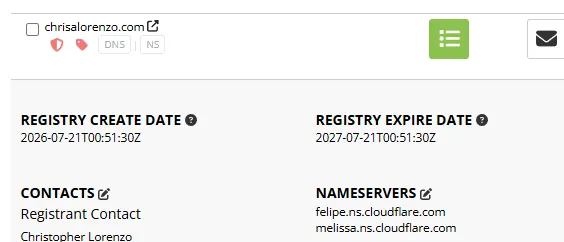
- Cloudflare assigns two nameservers. Mine were
felipe.ns.cloudflare.comandmelissa.ns.cloudflare.com. - In Porkbun: Details → Authoritative Nameservers → Edit, replace Porkbun’s with the two Cloudflare ones.
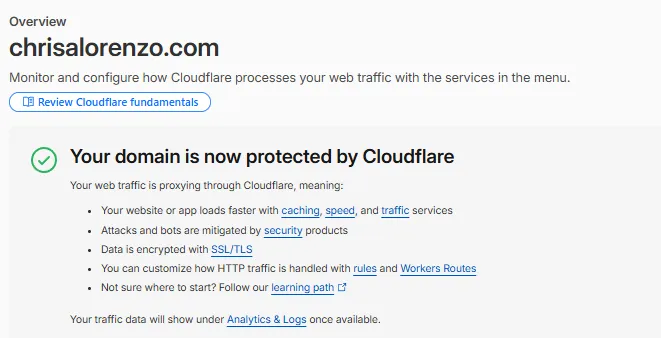
- Wait for Cloudflare to mark the zone active. Mine took under an hour. It can take longer.
Before flipping, I went through the imported records. I deleted the
parking A records and the URL-forward record, which were dead weight
from the placeholder era. I kept the MX records and the SPF TXT
record, because Porkbun still does my email forwarding for the domain and
losing those would silently break inbound mail.
Check what your registrar was doing for you before you take DNS away from it. Email forwarding and parking redirects live in DNS, and they stop the moment the nameservers change if you didn’t carry the records over.
DNSSEC was already off, so there was nothing to coordinate. If yours is on, disable it at the registrar first, wait for it to clear, then move. Otherwise resolvers reject the zone during the handover.
Step 2: the Cloudflare Pages project
-
Workers & Pages → Create → Pages → Connect to Git, authorise the repo.
-
Build settings:
Setting Value Framework preset Vite (Astro for this blog) Build command npm run buildBuild output directory distProduction branch main -
The first deploy runs on save. After that, every push to
maintriggers a build. Same model as the GitHub Actions workflow I deleted, minus the workflow file.
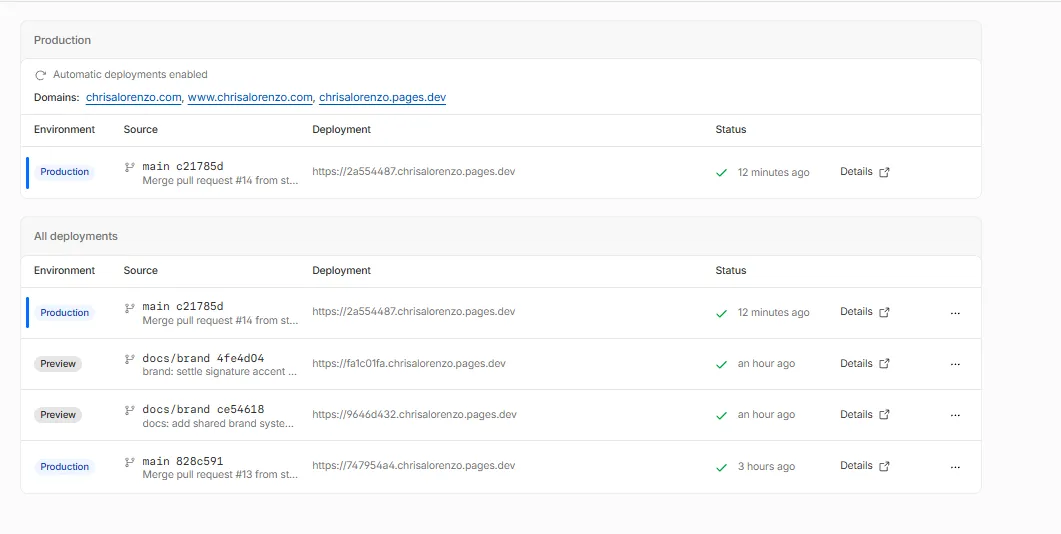
The GitHub Pages deploy workflow (.github/workflows/deploy-pages.yml)
came out in the same commit. GitHub is source-only now.
The gotcha: base path
The Vite config still had base: '/portfolio/' from the project-site
days. On a real domain the site serves from the root, so every asset URL
was off by a directory and the first deploy rendered as unstyled HTML.
 export default defineConfig({
-  base: '/portfolio/',
+  base: '/',
   plugins: [react()],
 });
Astro has the same setting (base in astro.config.mjs) and the same
trap. If you scaffolded for a project site, this is the line to fix.
Step 3: custom domains
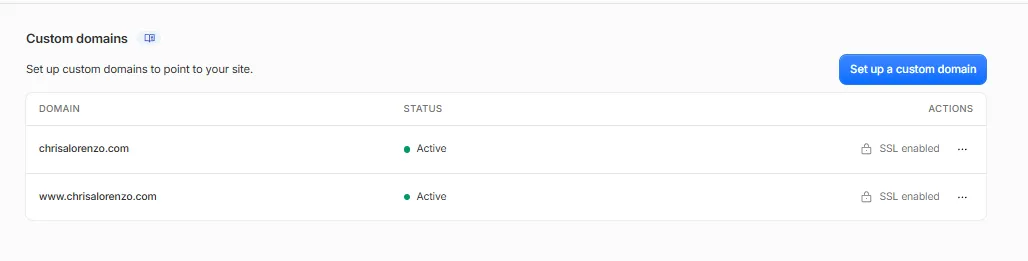
In the Pages project, Custom domains → Set up a domain, added both
chrisalorenzo.com and www.chrisalorenzo.com.
Because DNS is now on Cloudflare, this is one click each. Cloudflare
creates the records itself: a CNAME from the apex to the pages.dev
target, with CNAME flattening at the apex (a plain DNS provider can’t put
a CNAME on the apex; Cloudflare handles it), and a CNAME for www to
the same target.
Both went to Active with certificates issued in a few minutes. There is no manual certificate step. Cloudflare provisions and renews it.
Step 4: TLS and email posture
Two settings I changed while I was in there:
- SSL/TLS mode → Full (strict). Pages serves a valid cert on its origin, so there’s no reason to run Flexible (which leaves the Cloudflare-to-origin hop unencrypted) or plain Full (which doesn’t validate it).
- Managed DMARC. Cloudflare’s Email → DMARC Management adds the
_dmarcTXTrecord for you. I started atp=noneto collect reports without affecting delivery, and plan to tighten top=rejectafter a couple of weeks of clean aggregate reports.
What actually broke
Nothing user-facing, but for the record:
- The base path, above. Caught on the first preview deploy, not in production.
- A few minutes of overlap where
stayz3ro.github.io/portfolio/andchrisalorenzo.comboth served the site. GitHub Pages keeps serving until you unpublish it in repo settings, so do that once the custom domain is live. og:urland the “live site” links in the README still pointed at thegithub.iopath. Easy to forget, because the site looks fine but search and link previews don’t.
Closing note
The hosting migration was 20 minutes. DNS was the rest, and the risk was entirely in the records I wasn’t thinking about: MX, SPF, the forward. Those fail silently and days later. When you move nameservers, inventory the whole zone first and treat every record you don’t recognise as load-bearing until you’ve proven otherwise.
The same move is queued for stayz3ro.dev next, which is where this blog
will live. That one has a stale A record pointing at an address that
hasn’t answered in months, so the pre-migration cleanup matters there too.