entry-01
Knowing the network before building on it
The baseline before any of the homelab work: understanding the ISP gateway, the router, and the DNS path, then the Xfinity to AT&T Fiber migration and the bridge-mode versus IP-passthrough difference.
revisions rev. 1 first set 2026-10-23 last revised 2026-10-23 2 min read
series / HA DNS part 1 of 9 all parts → next →
Before adding Pi-hole, HA DNS, monitoring, or anything else, I spent the first phase just understanding the network I already had. What the ISP gateway does, what the router does, how DHCP hands out addresses, and the path a DNS query takes from a client to the internet.
That sounds like busywork. It made every later phase easier to validate, because I had a known-good starting point to compare against.
The starting point: Xfinity
The house was on Xfinity, with the gateway in bridge mode and a TP-Link Deco mesh doing the actual routing.
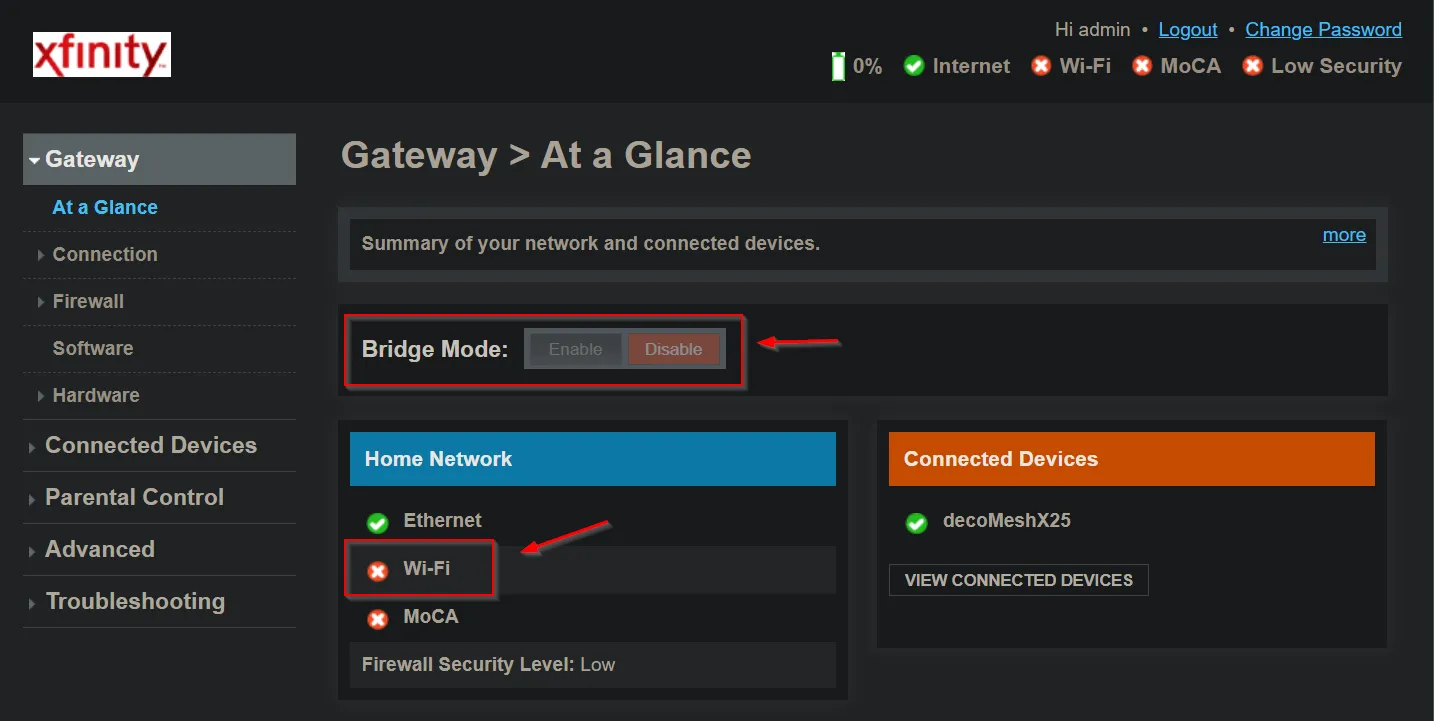
Bridge mode turns the gateway into something close to a modem. It stops routing and hands the connection downstream to the Deco, which then owns DHCP, NAT, and Wi-Fi. That’s the setup I wanted for the lab, because it puts one device in charge of the LAN.
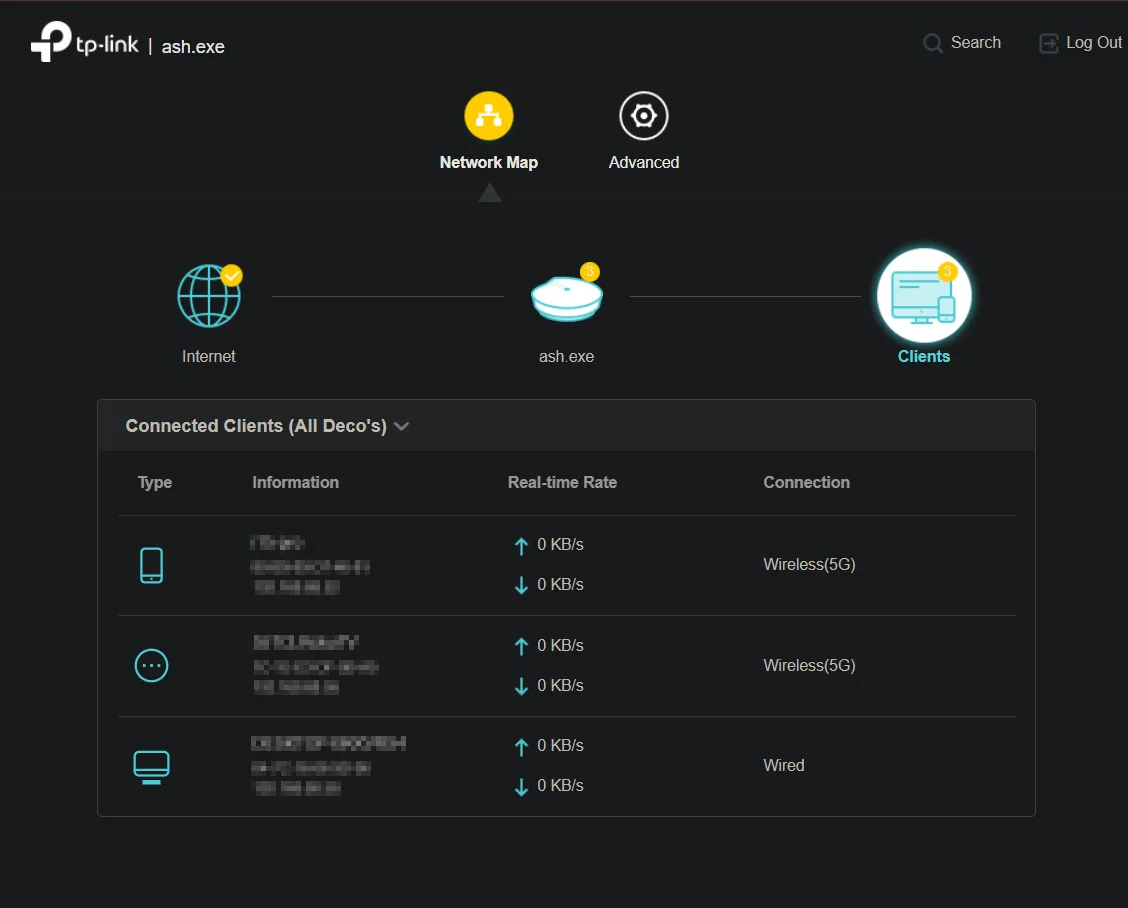
The Deco showed the clients on the network, which is where I started building an inventory of what was actually connected.
The migration: AT&T Fiber
Partway through, the house switched to AT&T Fiber. That changed the topology, and the change is worth understanding because bridge mode and AT&T’s equivalent are not the same thing.
AT&T’s residential gateway can’t be fully bridged. What it offers instead is IP Passthrough: the gateway stays in the path, but it passes the public IP through to one downstream device (the Deco) instead of NATing behind its own private range.
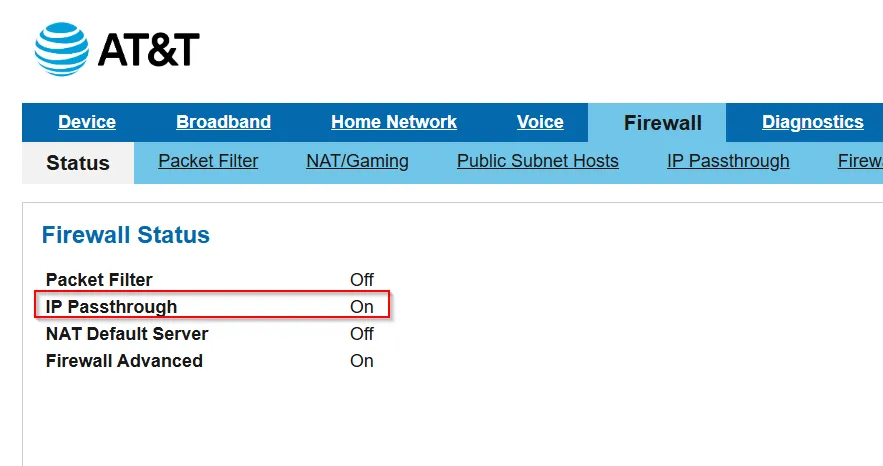
The practical difference:
| Setup | What the gateway does |
|---|---|
| Xfinity bridge mode | Behaves like a modem, no routing, Deco owns everything |
| AT&T IP Passthrough | Still in the path, still does some functions, but the public IP and routing responsibility move to the Deco |
For documentation that matters. With Xfinity I could describe the gateway as out of the picture. With AT&T I had to note that it’s still there, and that a double-NAT is possible if IP Passthrough isn’t set correctly.
What this phase established
By the end of it I had the things every later phase would be validated against:
- how the gateway behaves, per ISP
- the router’s role and the DHCP range
- the DNS path a client uses today
- a list of what’s connected
- the limitations I’d want to fix
The next phase was the first real change: putting Pi-hole in the DNS path and taking control of resolution.
Related posts: Taking control of DNS with Pi-hole, Cutting over from mesh Wi-Fi to a managed network, live.