entry-06
Moving services off my workstation and into Proxmox
The homelab services started on a gaming PC. This phase moved them onto a Proxmox host: an Omada Controller LXC, a Docker monitoring VM, a self-hosted RustDesk server, and validated backups.
revisions rev. 1 first set 2026-10-23 last revised 2026-10-23 2 min read
series / HA DNS part 6 of 9 all parts → ← prev next →
Update (2026-10-19): The later backup test records an isolated VM restore; the archive creation described here did not by itself establish recovery.
The monitoring stack and a few other services started life on my gaming PC, in Docker. That’s fine for testing and bad for anything you want to rely on, because the machine reboots, gets shut down, and generally isn’t infrastructure.
This phase moved those services onto a Proxmox host, so they run independently of any workstation.
The layout on Proxmox
Proxmox runs on a dedicated machine. On it:
- an LXC for the Omada Controller (the managed-network project needs it)
- a VM running the Docker monitoring stack
- a VM for a self-hosted RustDesk server
- HDD-backed storage for backups
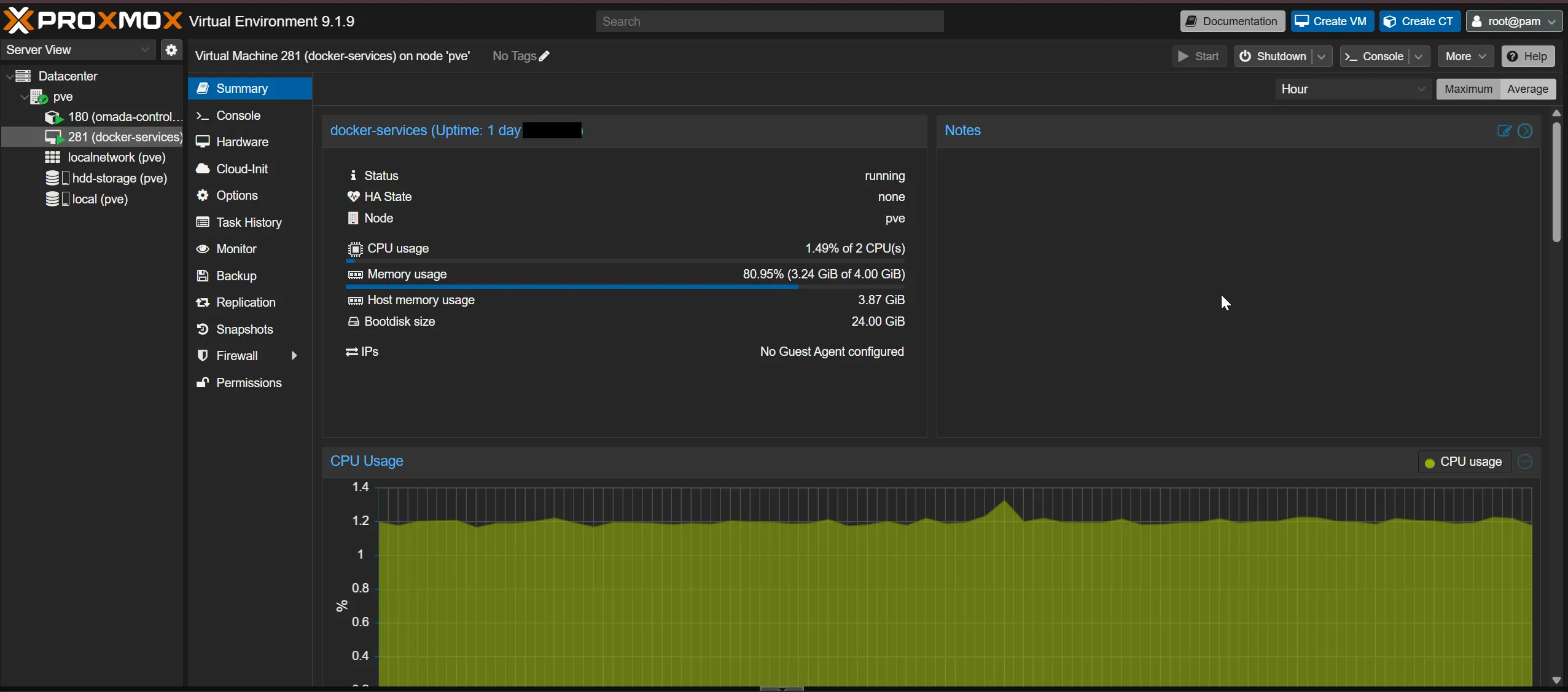
The monitoring stack came over as-is. Same Compose files, now on a VM that stays up.
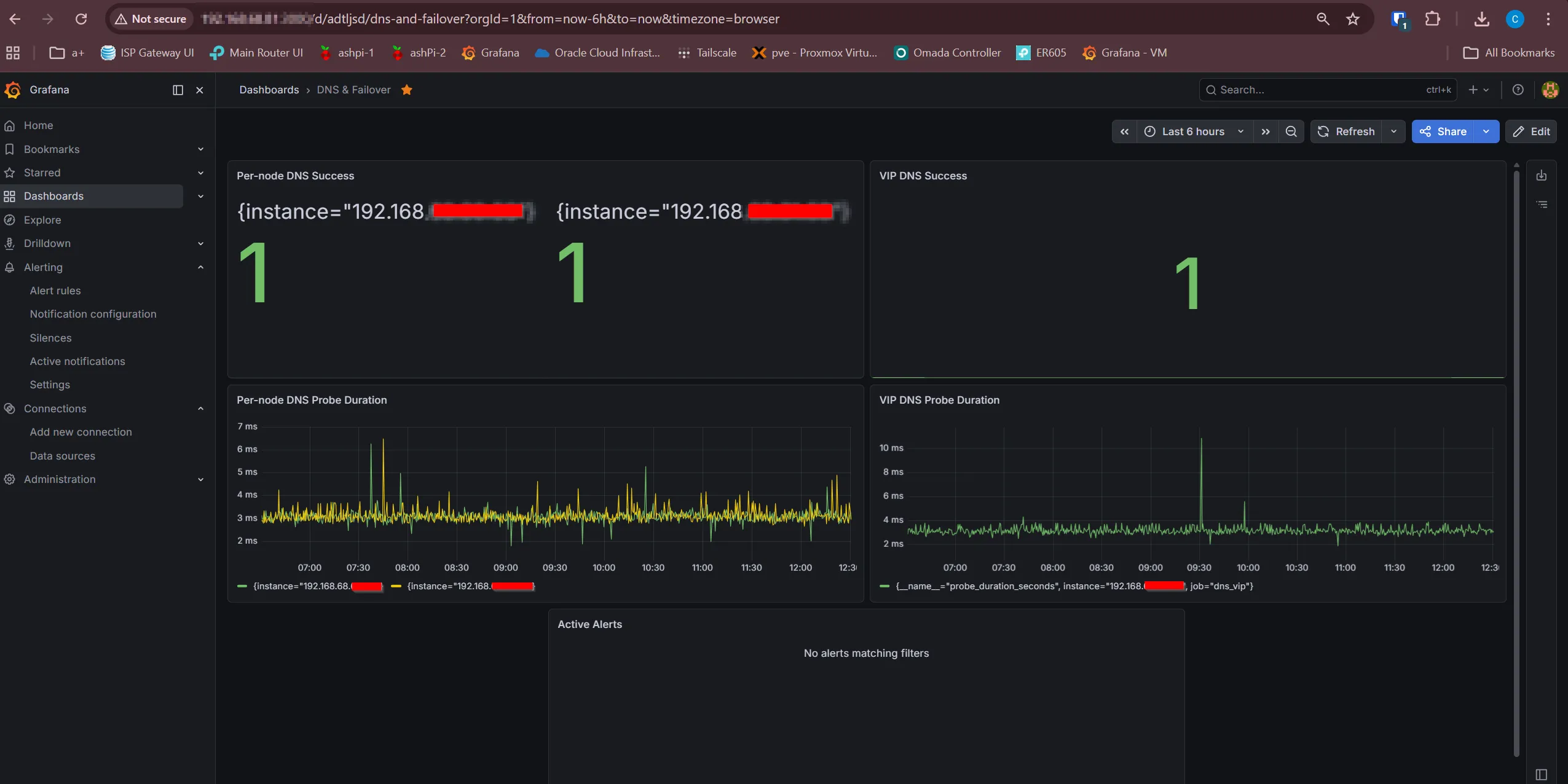
Once it was confirmed working on the VM, Docker on the gaming PC was stopped for good.

RustDesk, kept LAN-only
The RustDesk server (its hbbs and hbbr components) went on its own VM.
I kept it LAN-only on purpose. It’s useful for remote-desktop access to
machines on the network, but it doesn’t need to be public to do that, and
UFW enforces it.
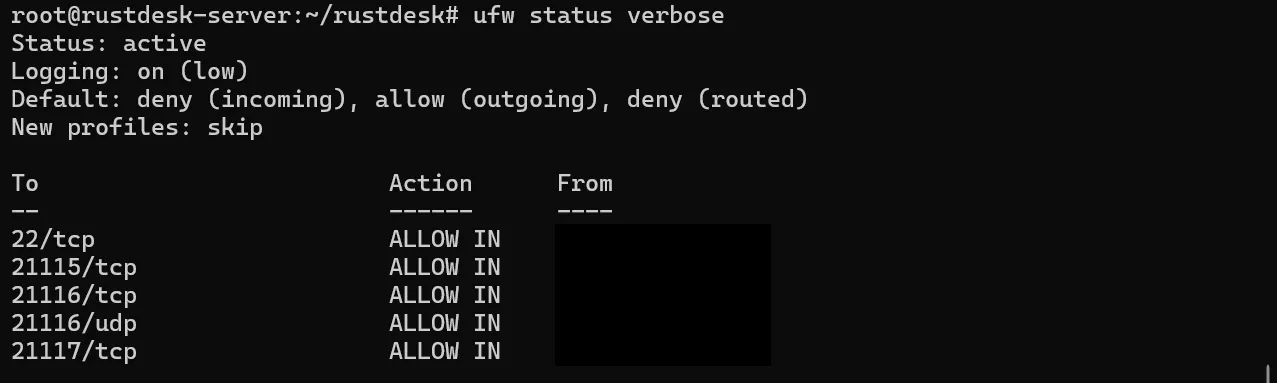
Not every useful service needs to be reachable from the internet. Internal-only is a valid answer.
Backups
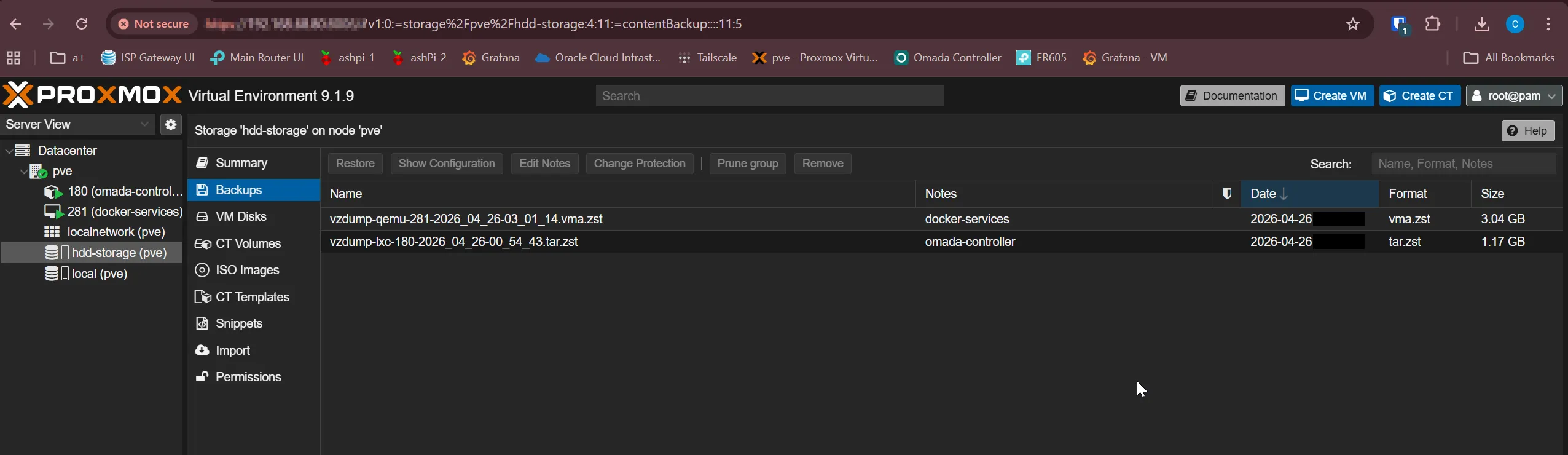
Moving to Proxmox isn’t worth much without backups, so the VMs and the
LXC get scheduled vzdump backups to the HDD storage, and I confirmed
they actually run and produce restorable archives.
What this phase gave the lab
- services that survive a workstation reboot
- clear separation between infrastructure and general-purpose machines
- a place to add the Omada Controller the managed-network work needs
- validated backups, so a failed VM is a restore, not a rebuild
A later hardening pass tightened the VM baselines (SSH, log rotation, Prometheus retention, disk sizing) and added a Portainer agent for Docker visibility. But the core move, off the workstation and onto real infrastructure, happened here. The next project took the same build-then-validate approach to the network itself, replacing the mesh router with managed routing and switching.
Related posts: Cutting over from mesh Wi-Fi to a managed network, live.