entry-08
Hardening a public VPS before it hosts anything
A fresh Netcup VPS: non-root access, key-only SSH with a safe reload workflow, UFW, Fail2Ban, then moving SSH off the public internet once a domain pointed at it.
revisions rev. 1 first set 2026-10-23 last revised 2026-10-23 3 min read
series / VPS part 1 of 4 all parts → next →
Update (2026-10-19): The later web-firewall account records Cloudflare-only ingress after this May setup; the public web-port policy below is historical.
The home lab runs on a private network. A VPS does not. It’s on the public internet from the first boot, getting SSH-scanned within minutes. So before this one ran a single service, the whole job was making it safe to leave running.
This is Phase 1 and 2 of the VPS lab: the baseline hardening, then
pointing stayz3ro.dev at it and pulling SSH back off the public
internet.
The baseline
The provider gives you a root login. The first session’s work is to not need it again:
- A non-root user with sudo, for everything day-to-day.
- Key-only SSH:
PermitRootLogin no,PasswordAuthentication no. - UFW, default-deny inbound, allowing only what’s actually needed.
- Fail2Ban on the SSH jail.
- Unattended-upgrades for security patches.
- Swap, timezone, Docker, Tailscale, and a predictable folder layout under
/opt.
SSH changes need a safe workflow
Editing sshd_config over SSH is how people lock themselves out. The
workflow that doesn’t:
sudo sshd -t          # validate syntax, no output means OK
sudo systemctl reload ssh
# then, from a SECOND terminal, confirm you can still get in
# only now close the original session
Use reload, not restart. Reload re-reads the config without dropping
existing connections, so the session you’re in survives a mistake long
enough to fix it. Disable root and password login after you’ve confirmed
key auth works, never before.
Fail2Ban earns its keep immediately
On a public IP the SSH scanning is constant. Fail2Ban watches the auth log and temp-bans repeat offenders. It doesn’t replace key-only auth. It’s a layer on top that cuts the noise.
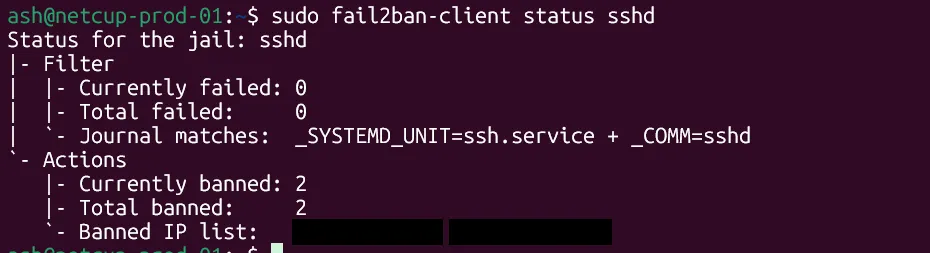
Two addresses already banned, on a server that had existed for hours.
Then: a domain, and SSH goes private
Phase 2 pointed stayz3ro.dev at the VPS. Clear the registrar’s parking
records first, add the A record, add the subdomains I knew were coming
(status, apps, api), and check resolution from more than one
resolver:
dig +short stayz3ro.dev
dig @1.1.1.1 +short status.stayz3ro.dev
dig @8.8.8.8 +short status.stayz3ro.dev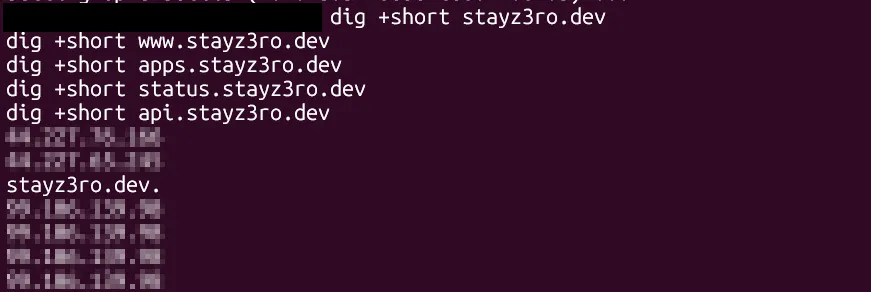
A record isn’t done until it resolves the same way from a resolver you don’t control.
With the domain live, there was no longer any reason for port 22 to face the internet. SSH moved to Tailscale-only:
sudo ufw delete allow 22/tcp
sudo ufw allow in on tailscale0 to any port 22 proto tcp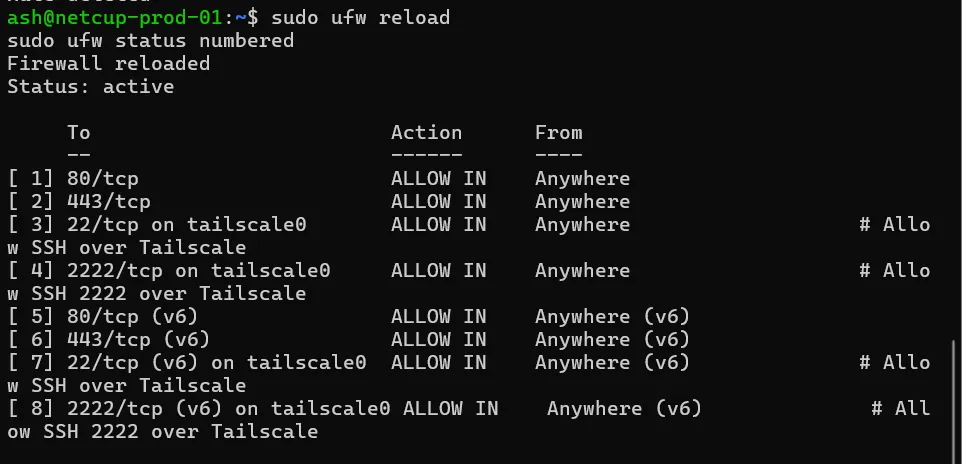
The management path is now:
admin workstation -> Tailscale -> the VPS -> SSHPublic SSH from anywhere else just times out:

That’s the enterprise pattern in miniature. Administration goes through a private access layer, and only the traffic that’s meant to be public (80 and 443, for the reverse proxy that comes next) stays exposed.
Closing note
A few things worth repeating. Harden before you host: baseline security,
then a domain, then services, in that order. Use reload and a second
terminal for every SSH config change. Only disable risky access after
proving safe access works. And treat public DNS and public SSH as
separate decisions, because pointing a domain at a box is not a reason to
leave its management ports open. Your own resolver can also lie to you,
which is the subject of the next post.
Related posts: The DNS panel that wasn’t authoritative.